
Run client work from the proposal to the paid invoice.
For agencies, dev shops, consultants, and contractors in Suriname and the Dutch Caribbean: invoices carry your local tax, and clients pay with Sentoo or bank transfer.
No credit card required.See how tax and payments work
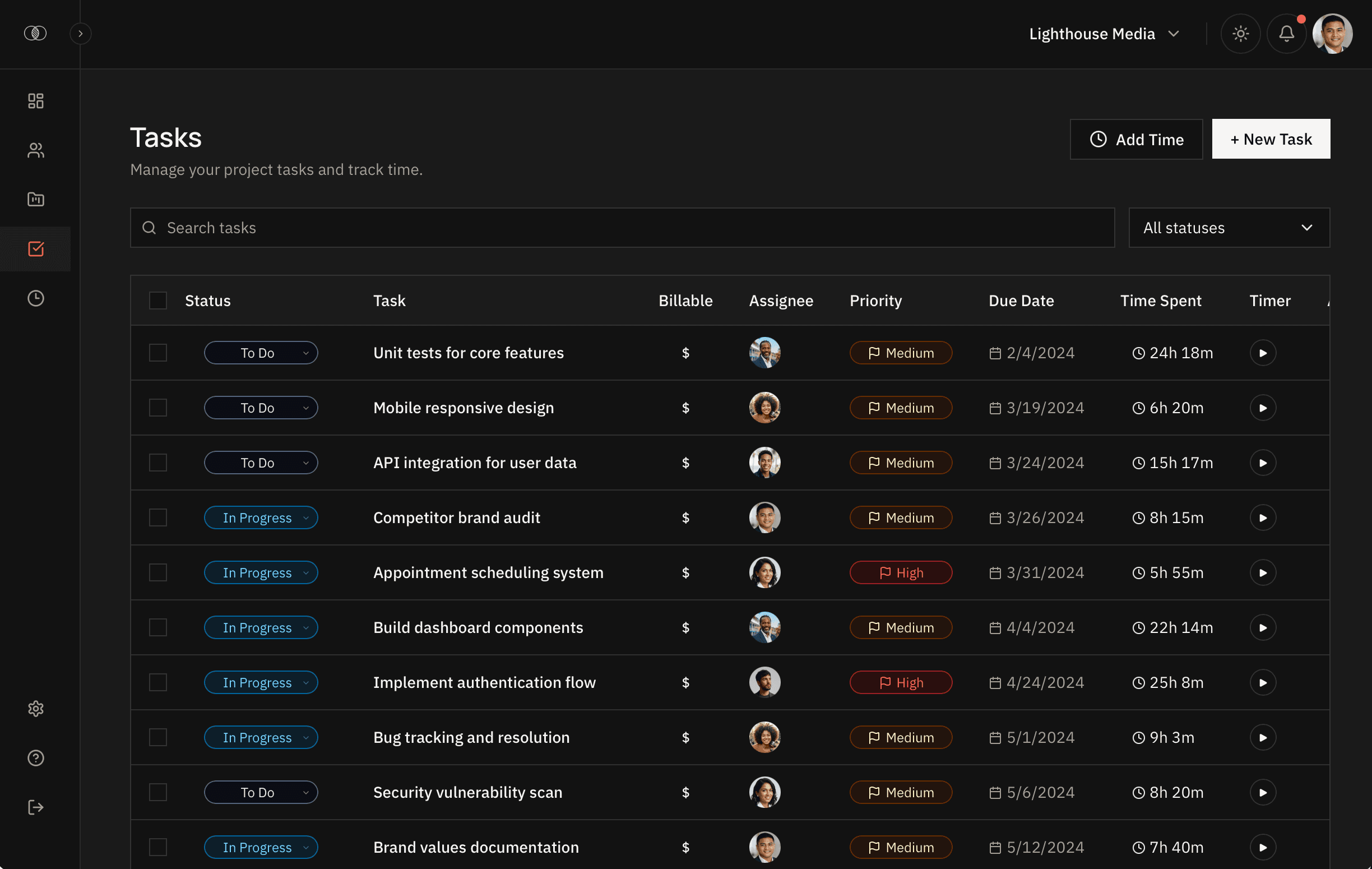
What you do in Zentract.
Clients, projects, and tasks
A project holds the budget, the tasks, and, when you bill that way, a retainer with included hours.
Time on the work
Start a timer from the dashboard or log time on the task. Each entry keeps the client, the project, and whether it is billable. The iOS and Android apps are for logging time away from the desk.
Proposals
Describe the scope, timeline, team, and budget, then share the proposal.
Quotes and invoices
Send a quote for the work. Draft an invoice from billable hours, or write one by hand. It stays a draft until you send it.
Reports
Time summary, project status, timesheet, and invoice report.
Financials
What you invoiced, what you collected, what is still owed, and how much of each retainer is used.
Local tax and payments for Suriname and the Dutch Caribbean.
In Suriname, Aruba, Curaçao, Sint Maarten, Bonaire, Saba or Sint Eustatius, Zentract puts your local tax on the services you bill and gets you paid in ways that work there.
Local tax, worked out for each client
BTW, OB, ABB, and BBO on invoices, quotes, and proposals, with the details each country and island requires and statements like “ABB verlegd” where the law asks for them. Included in every plan.
| Aruba | BBO/BAVP/BAZV | 7% |
|---|---|---|
| Curaçao | OB | 6% |
| Sint Maarten | BBO | 5% |
| Bonaire | ABB | 6% |
| Saba | ABB | 4% |
| Sint Eustatius | ABB | 4% |
| Suriname | BTW | 10% |
Getting paid on the islands
On Growth or Scale, connect your Sentoo merchant account and clients pay USD, XCG and AWG invoices from their banking app, straight from the invoice link. The money goes to your account, and the invoice is marked paid.
Prefer bank transfers? Add your bank details and they print on every invoice; mark it paid when the transfer arrives. Available on every plan.
Get paid with SentooFrom businesses that bill with Zentract.
Zentract has made it easy for our team to track billable hours. We've significantly improved the accuracy of our time tracking and reduced the time it takes to turn those hours into invoices.
 Roberto ZeeuwManaging Director at New Tech Solutions · Curaçao
From logged hours to a paid invoice.
A month of work for a hotel group in Curaçao: invoiced with OB, paid with Sentoo, and in Financials as soon as it clears. Wherever you are, the flow is the same; the tax and how clients pay follow your location.
The team tracks time on the client's tasks.
 Sentoo
See retainers running low and projects heading over budget, before they cost you.
After the invoice is paid, Zentract keeps watching: the hours left on each retainer, and a written report on money at risk once there is enough history.
Hours used against what each retainer includes, with the ones running low called out.
Free to start.
Add people, clients, and projects when the team grows.
The free plan has no time limit and does not ask for a card. Time tracking, proposals, quotes, invoices, reports, Financials, and Suriname and Dutch Caribbean tax are included. Growth ($99 USD a month) and Scale ($299 USD a month) raise how many people, clients, and projects you can have.
Compare plansFree
- ✓3 team members
- ✓5 clients
- ✓10 projects
- ✓Unlimited time tracking
- ✓Invoice generation
- ✓Suriname and Dutch Caribbean tax
- ✓iOS & Android apps
Common questions
Details on time tracking, billing, and the free plan.
From the work your team did
to the invoice the client pays.
Keep the client, the project, and the hours together, then bill from that record.
Free plan · No credit card
Already using Zentract? Sign in →